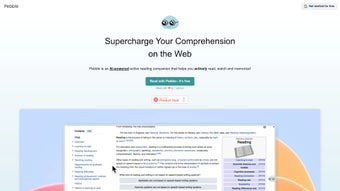

Download Pebble – Adaptive AI Learning Tool for Students & Professionals
Overview
Pebble is a cutting‑edge AI‑powered learning app designed to turn daunting subjects into bite‑size, manageable lessons. By leveraging adaptive algorithms, Pebble evaluates each user’s learning style, pace, and knowledge gaps, then builds a personalized learning path that evolves as the learner progresses. Whether you are a high‑school student grappling with calculus, a university scholar mastering data science, or a professional seeking to upskill in project management, Pebble offers a flexible, self‑directed environment that encourages consistent growth without overwhelming the user.
The core philosophy behind Pebble is to replace the one‑size‑fits‑all approach of traditional textbooks with a dynamic, feedback‑rich experience. As you move through modules, the AI continuously monitors your performance, providing real‑time hints, clarifications, and supplemental resources whenever it detects uncertainty. This continuous loop of assessment and adjustment helps solidify concepts, improve retention, and build confidence.
In addition to its personalized pathways, Pebble integrates interactive features such as quizzes, flashcards, and collaborative study rooms, making it suitable for both solo study sessions and group learning environments. The app also supports progress tracking, allowing users to visualize milestones, set goals, and celebrate achievements—critical motivators that keep learners engaged over the long term. While Pebble shines in its adaptability and user‑centric design, it does require a degree of self‑discipline to stay on track, especially for learners who thrive under more structured guidance.
Nonetheless, its free, secure download and cross‑platform availability make it an attractive option for anyone looking to enhance their knowledge base in a modern, tech‑savvy manner.
Key Features that Make Pebble Stand Out
- AI‑Generated Personalized Learning Paths
- Real‑Time Adaptive Feedback & Hints
- Interactive Quizzes, Flashcards, and Simulations
- Progress Dashboard with Goal‑Setting Tools
- Collaborative Study Rooms for Group Learning
- Cross‑Platform Sync (Windows, macOS, Android, iOS)
- Offline Mode for Uninterrupted Study
- Secure Cloud Storage of Learning Data
- Regular Free Updates with New Content Packs
- Multilingual Support for Global Users
AI‑Generated Personalized Learning Paths
At the heart of Pebble lies its adaptive engine, which assesses a learner’s prior knowledge, preferred study methods, and pacing preferences. After an initial diagnostic quiz, the system constructs a curriculum tailored specifically to the user, breaking complex topics into micro‑lessons that can be completed in short, focused bursts. This granularity reduces cognitive overload and ensures each concept is mastered before moving forward.
Real‑Time Adaptive Feedback & Hints
As users interact with quizzes or problem‑solving exercises, Pebble instantly evaluates responses. Incorrect answers trigger context‑aware hints, step‑by‑step explanations, or alternative resources, turning every mistake into a learning opportunity. This immediate feedback loop mirrors the benefits of one‑on‑one tutoring, but at scale and without additional cost.
Interactive Quizzes, Flashcards, and Simulations
Pebble’s interactive components keep learners actively engaged. Quizzes adapt in difficulty based on performance, while flashcards employ spaced‑repetition algorithms to boost long‑term retention. For subjects like physics or programming, simulations provide a hands‑on environment where concepts can be experimented with safely.
Collaborative Study Rooms
Recognizing that many learners benefit from peer interaction, Pebble includes virtual study rooms where users can share notes, discuss challenges, and solve problems together. These rooms are moderated by AI to surface relevant content and keep discussions on track.
Cross‑Platform Sync & Offline Mode
Pebble is available as a free download on Windows, macOS, Android, and iOS. All progress syncs securely to the cloud, allowing seamless transitions between desktop and mobile devices. An offline mode ensures that learning can continue even without internet access, with data syncing automatically once a connection is restored.
Installation, Usage & Compatibility
How to Download and Install Pebble Securely
Getting started with Pebble is straightforward. Visit the official website or your device’s app store (Google Play Store for Android, Apple App Store for iOS, Microsoft Store for Windows, or the macOS App Store). Click the “Download Free” button, and the installer will begin automatically. For desktop versions, run the downloaded .exe (Windows) or .dmg (macOS) file and follow the on‑screen prompts. Pebble uses industry‑standard encryption to protect your personal data during download and installation, ensuring a secure, virus‑free experience.
After installation, launch the app and create a free account using an email address or single‑sign‑on with Google or Apple ID. The registration process includes a brief privacy consent form that outlines how learning data is stored securely in the cloud. Once logged in, you’ll be guided through a quick onboarding questionnaire that helps the AI tailor the initial learning path.
Supported Operating Systems
Pebble runs on the latest versions of Windows (10 and 11), macOS (10.15 Catalina and newer), Android (6.0 Marshmallow and newer), and iOS (13 and newer). The app is optimized for both high‑resolution desktop monitors and mobile screens, delivering a consistent experience across devices.
First‑Time Use: Setting Up Your Learning Journey
Upon first launch, Pebble presents a “Start Your Assessment” button. This short quiz evaluates your current knowledge level, preferred learning style (visual, auditory, kinesthetic), and time availability. Based on the results, the AI constructs a starter curriculum and suggests a daily study schedule that fits your routine. Users can customize this schedule, set reminders, and even integrate Pebble with calendar apps like Google Calendar or Outlook for automated alerts.
Throughout the learning journey, the dashboard provides a visual progress bar, upcoming tasks, and achievement badges. Users can pause or reschedule lessons without losing data, thanks to the cloud‑based sync. The app also offers a “Help Center” with tutorials, FAQs, and a community forum where learners can ask questions and share tips.
Pros, Cons & Frequently Asked Questions
Pros
- Completely free to download and use, with no hidden fees.
- Highly personalized learning paths powered by adaptive AI.
- Interactive content (quizzes, flashcards, simulations) keeps engagement high.
- Cross‑platform support ensures seamless study across Windows, macOS, Android, and iOS.
- Secure cloud sync and data encryption protect user privacy.
- Regular free updates introduce new subjects and features.
- Offline mode allows learning without an internet connection.
- Collaborative study rooms foster peer‑to‑peer learning.
Cons
- Requires self‑discipline; no built‑in mandatory schedule enforcement.
- Advanced topics may feel oversimplified for expert‑level learners.
- Limited offline content for some premium subject packs.
- While free, some optional add‑ons (e.g., certification exams) are paid.
FAQ
Is Pebble completely free or are there hidden costs?
Pebble is free to download and use. All core features, including personalized learning paths and interactive quizzes, are available at no cost. Optional premium content packs and certification exams are offered for a fee, but they are clearly labeled and not required for basic functionality.
Can I use Pebble on multiple devices simultaneously?
Yes. Pebble syncs your progress securely to the cloud, allowing you to switch between a Windows PC, a Mac, an Android phone, or an iPhone without losing any data. Changes made on one device are reflected on all others within a few seconds.
How does Pebble protect my personal and learning data?
Pebble uses end‑to‑end encryption for data transmission and storage. Your account credentials are hashed, and all learning progress is stored in a secure, GDPR‑compliant cloud environment. The app also undergoes regular security audits to ensure ongoing protection.
Is there a way to track my improvement over time?
Absolutely. The dashboard features a detailed analytics panel showing completed lessons, quiz scores, time spent studying, and mastery levels for each topic. You can export this data as a CSV file or view it as visual charts to monitor progress.
Can Pebble be used for group training in a corporate setting?
Yes. Pebble’s collaborative study rooms and team dashboards are ideal for corporate training programs. Administrators can create custom learning paths for teams, assign modules, and track collective performance, making it a versatile tool for professional development.
Conclusion & Call to Action
In a world where information overload can discourage learners, Pebble offers a refreshing, AI‑driven approach that tailors education to each individual’s needs. Its free, secure download, cross‑platform compatibility, and interactive design make it an excellent choice for students, lifelong learners, and professionals seeking to upskill. While the tool thrives on user discipline and may occasionally simplify complex topics, its adaptive feedback and robust feature set more than compensate, delivering measurable improvements in retention and confidence.
Ready to transform the way you learn? Download Pebble today for Windows, macOS, Android, or iOS and start building a personalized learning journey that fits your schedule and goals. Join the growing community of empowered learners who are mastering subjects faster and more effectively—without paying a cent.



.png)



